
Lesson 1
Find stocks and keep them
By the end of this lesson you can put any company in the world on your screen — including one Uncle Stock has never been asked about — and keep the ones you care about somewhere they will still be tomorrow.
Open the screener1Search by name or ticker
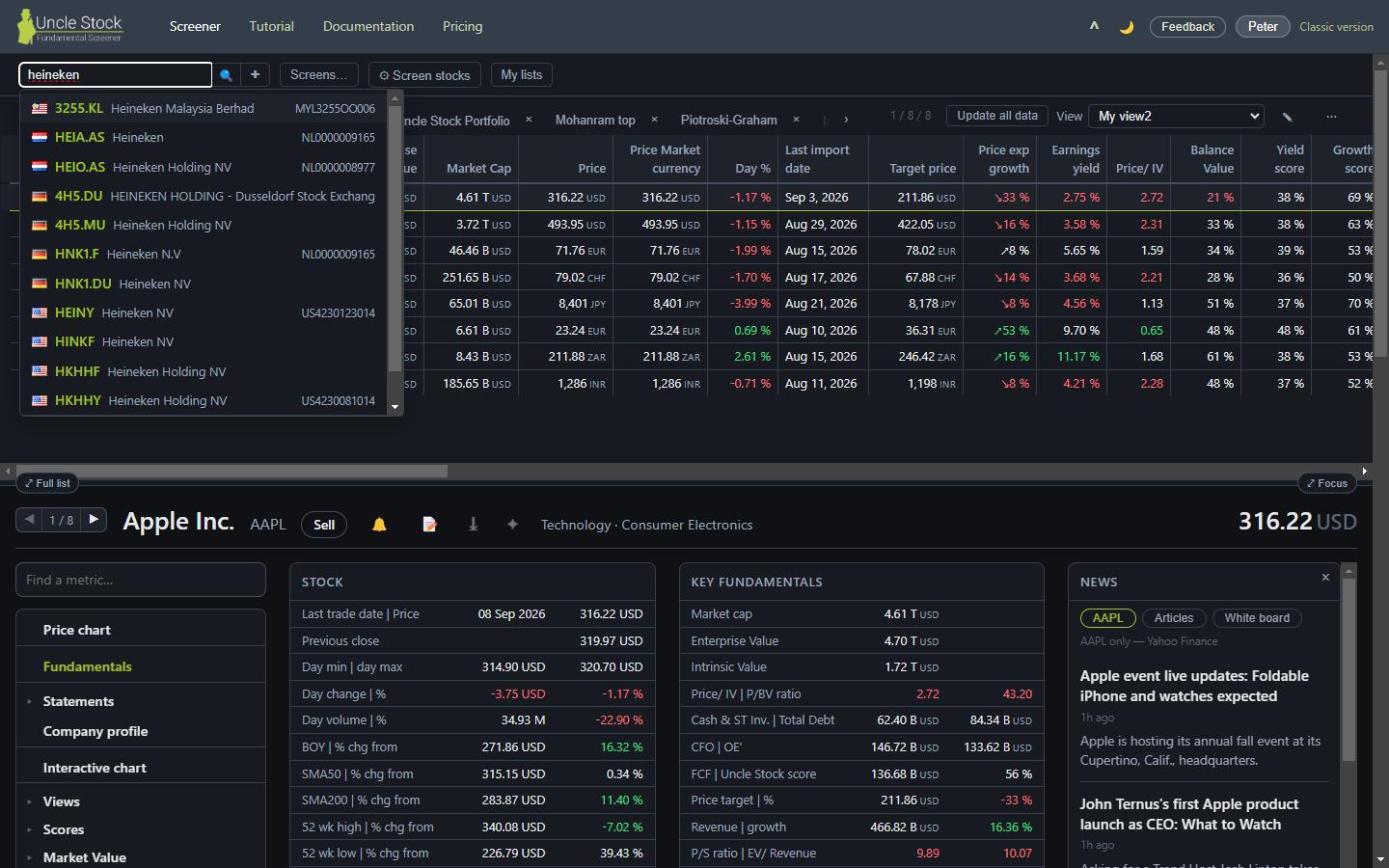
The box at the top left of the screener is where everything starts. Type a company name or a ticker and Uncle Stock offers matches as you type.
- ↑ and ↓ move through the suggestions.
- Enter takes the highlighted one, or the first if you have not moved.
- Esc closes the list.
You do not have to wait for the suggestions. If you know the ticker, type it and press Enter straight away — Uncle Stock remembers what you meant and acts on it the moment the matches arrive.
 1
2
3
4
5
1
2
3
4
5
- Search by name or ticker
- Paste a whole list of tickers
- Screens… — ready-made screens
- ⚙ Screen stocks — build your own
- My lists — your saved lists
2Tickers carry their exchange
A ticker on its own is ambiguous — plenty of companies share one. Uncle Stock uses the ticker plus an exchange suffix, in the notation Yahoo Finance made common. American listings need no suffix; everything else does.
| Market | Suffix | Example |
|---|---|---|
| United States | none | AAPL |
| Australia | .AX | TCL.AX — Transurban |
| Belgium | .BR | UMI.BR — Umicore |
| Canada | .TO | STN.TO — Stantec |
| France | .PA | CDI.PA — Christian Dior |
| Germany | .DE | BOSS.DE — Hugo Boss |
| Hungary | .BD | MOL.BD — MOL |
| India | .NS | RELIANCE.NS — Reliance Industries |
| Italy | .MI | JUVE.MI — Juventus |
| Japan | .T | 7974.T — Nintendo |
| Malaysia | .KL | 7235.KL — Superlon |
| Netherlands | .AS | HEIA.AS — Heineken |
| Philippines | .PH | SM.PH — SM Investments |
| Poland | .WA | PKN.WA — Orlen |
| Romania | .BU | TLV.BU — Banca Transilvania |
| Singapore | .SI | AZA.SI — IPC Corp |
| South Africa | .JO | SOL.JO — Sasol |
| Switzerland | .SW | NESN.SW — Nestlé |
| Thailand | .BK | PTTEP.BK — PTT E&P |
| United Kingdom | .L | CRE.L — Conduit Holdings |
| Crypto | .CC | BTC-USD.CC — Bitcoin |
That is not the full list of markets — Uncle Stock covers many more. It is the list of suffixes that are easy to get wrong. When in doubt, type the company's name instead and let the suggestions tell you the ticker.
New Zealand companies are held under their Australian listing, not an
NZX one. Look for MEZ.AX rather than a Meridian Energy ticker ending in
.NZ, and the same for Fisher & Paykel, a2 Milk, Xero and Auckland
International.
3A company nobody has looked up yet
The suggestions only offer companies Uncle Stock already holds. That is a large number, but it is not every listed company on earth — and a company only arrives once somebody asks for it.
So if you type a valid ticker and it is not offered, you are not stuck. A row appears reading Add <TICKER> as a new stock. Choose it, and Uncle Stock fetches the company, computes its metrics, and adds it — for you and for everyone after you. It takes a moment, and then the company behaves like any other.
You need to be signed in for this, since it is a real import rather than a lookup.
4Add a whole list at once
The + beside the search box opens a paste box. Drop in a column of tickers — from a spreadsheet, a broker statement, an article — and they all land on the board together. This is the fastest way to bring an existing portfolio in.
5The White board is a scratch pad
Everything you look up lands on the White board tab. Think of it as the desk you work on rather than the drawer you file in: it starts empty every time, it survives reloading the page, and it disappears when you close the browser tab. The × on the tab itself empties it in one go.
Nothing on the whiteboard is saved. If you spent twenty minutes assembling a set of companies worth returning to, put them in a stock list before you close the tab.
6Stock lists are the drawer
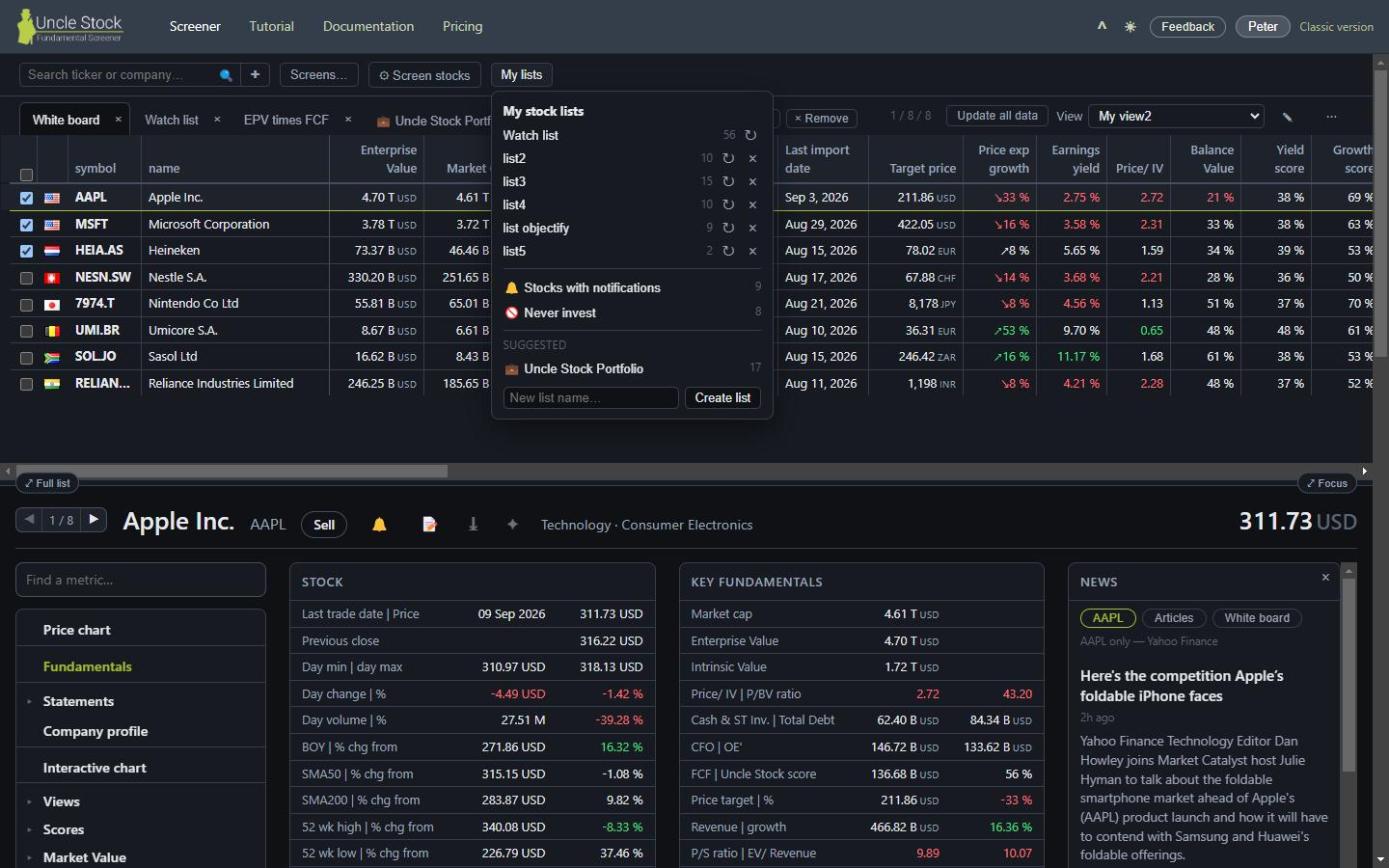
A stock list is a named, saved set of companies. Open the My lists button to create one, open one as its own tab, or delete one. Bronze keeps one list; a Gold pack lets you keep as many as you like — one per theme, one per broker account, one for the things you are only watching.
The × on a list's tab closes the tab. It does not delete the list — reopen it any time from My lists. Deleting is a separate, deliberate action in that same menu.
7Moving stocks in and out
-
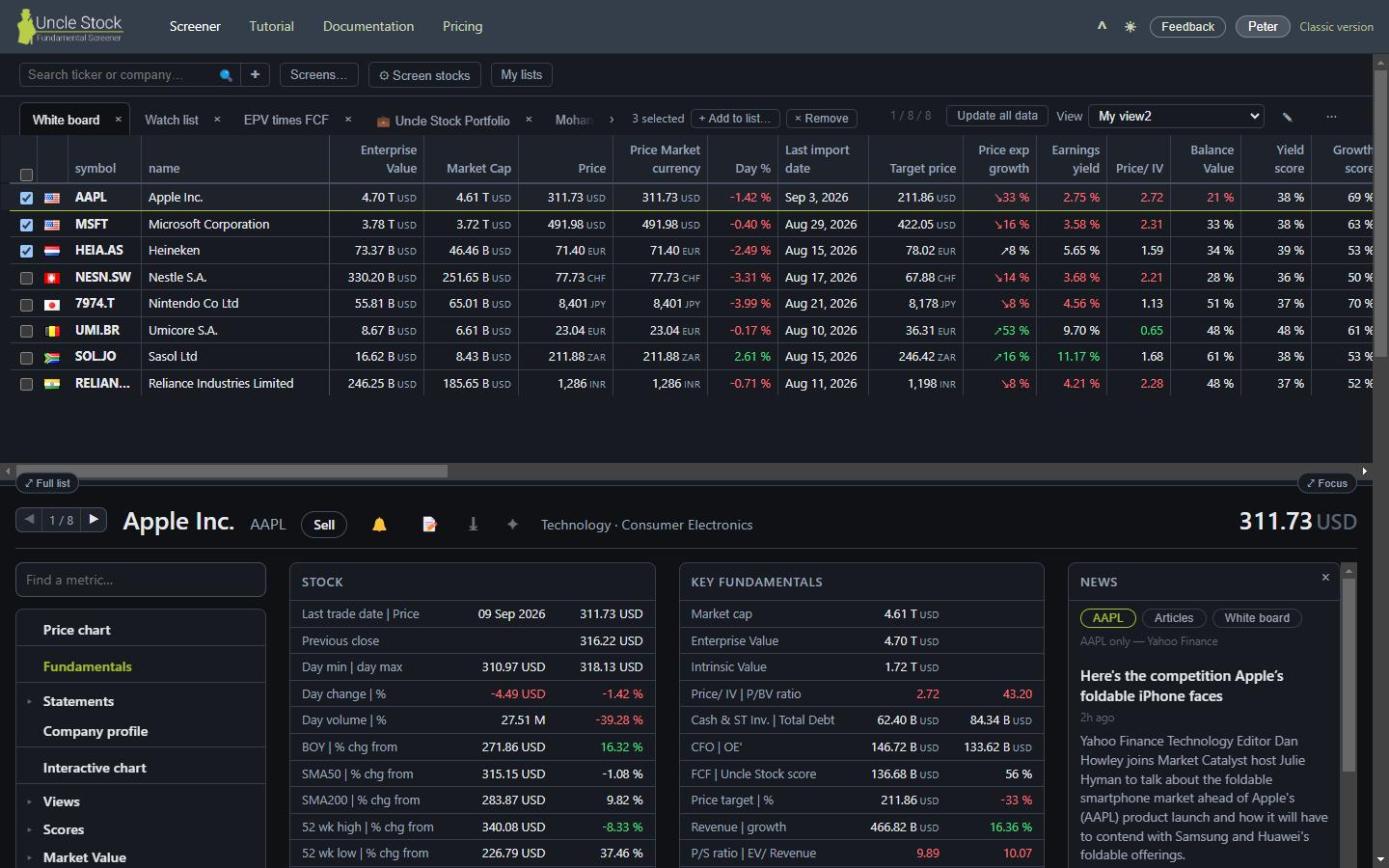
Tick the rows you want. A bar appears with the count and what you can do with them.
-
Use + Add to list… to file the whole selection, or × Remove to take it off the board.
-
Or work one row at a time. Every row carries its own + and ×. Where those sit is your choice — the ⋯ menu on the right has a setting for it, which matters once you scroll a wide table sideways.
You have companies on the screen. The next lesson makes the table show the numbers you actually want to compare them on.